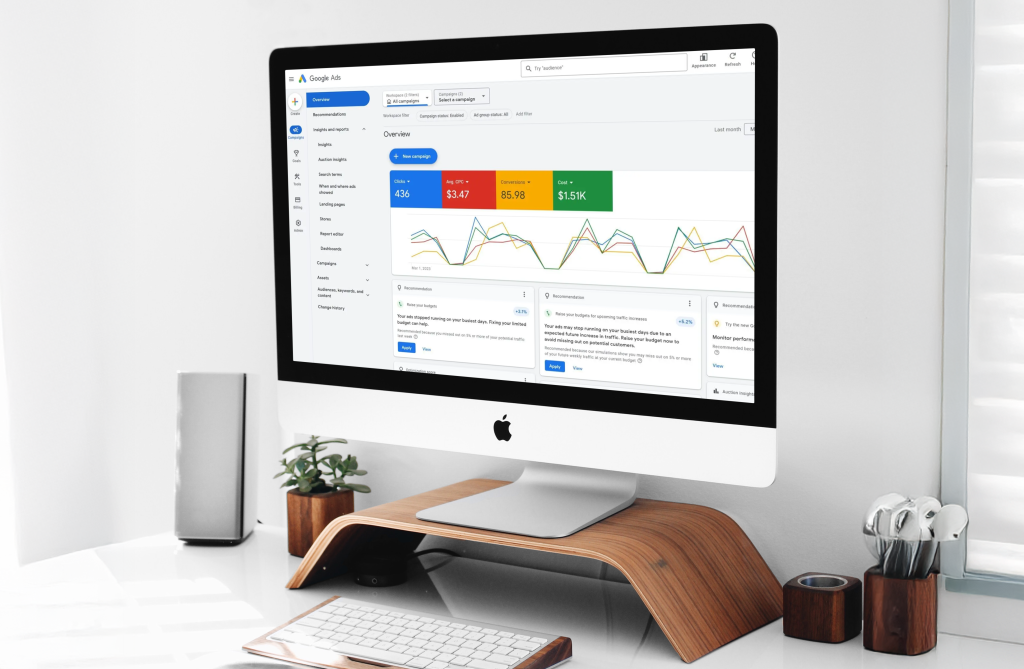
This post focuses on Google Ads.
What is PPC marketing?
PPC means pay per click.
You pay Google when someone clicks your ad.
Google shows your ads across Search, Maps, YouTube, Gmail, Discover, and partner sites, based on the campaign type you choose.
Profit comes from control.
Control starts with tracking, tight targeting, strong landing pages, and fast follow up.
What a “profitable” Google Ads campaign means
Profit does not mean low cost per click.
Profit means you buy outcomes at a cost your business supports.
You need five numbers.
- Cost per click
- Conversion rate on your landing page
- Lead to customer close rate, or donor to repeat donor rate, or visitor to buyer rate
- Gross profit per conversion, or net revenue per donation
- Your allowable marketing cost per conversion
The math that keeps you honest
Target cost per acquisition equals profit per conversion times your allowable marketing percent.
Example.
Profit per job: $600
Allowable marketing: 20%
Target CPA: $120
If your average booked job profits $600, you need a customer for $120 or less.
Now you build Google Ads around that target.
Google Ads benchmarks you should know
Benchmarks help you spot gaps fast.
WordStream reports an average Google Ads conversion rate of 7.52% for 2025 across industries. LocaliQ reports the same top level average.
Your goal is not to match an average.
Your goal is to beat your break even numbers.
How Google Ads decides who wins an auction
You do not win by bidding the most.
Google uses Ad Rank to decide eligibility and position.
Google states Ad Rank uses many factors, including your bid, the quality of your ads and landing page, context signals, and the expected impact of assets and other ad formats.
Why Quality Score matters
Quality Score matters because it reflects three drivers.
- Expected clickthrough rate
- Ad relevance
- Landing page experience
Takeaway.
Better relevance lowers your costs and raises your volume.
You improve relevance with structure, copy, and landing pages.
The profitable Google Ads setup, step by step
Step 1. Pick one primary “win” per campaign
Different clients want different actions.
Google Ads still works best when each campaign optimizes around one main conversion.
Use one campaign per primary goal:
- Phone calls
- Booked appointments
- Form fills
- Ecommerce purchases
- Donations
You still track secondary actions.
You do not optimize a single campaign for five goals at once.
Step 2. Set up conversion tracking first
If you skip tracking, you guess.
Google’s own guidance frames conversion tracking in two steps.
- Create a conversion action in Google Ads.
- Install the Google tag on your site.
For lead gen, track both forms and calls.
For ecommerce, track purchase with value.
For nonprofits, track donation with value.
Add Enhanced Conversions once you have baseline tracking.
Google describes Enhanced Conversions as using hashed first party conversion data to improve measurement accuracy and strengthen bidding signals.
If your sales happen offline, import them.
Google describes offline conversion imports as a way to measure what happens after a click or call leads to an offline sale.
Step 3. Build the right campaign types for your budget
Most starter budgets under $5,000 perform best with focus.
Start here for most local service businesses:
- Search campaigns for high intent keywords
- A small brand campaign to protect your name
- Remarketing once traffic exists
Start here for ecommerce:
- Search for brand and category
- Shopping or Performance Max once your feed is clean
- Remarketing
Performance Max deserves a clear role
Google describes Performance Max as a goal based campaign type that gives access to all Google Ads inventory from one campaign, designed to complement keyword based Search campaigns.
If you need tight control at lower spend, start with Search first.
Then add Performance Max after you trust conversion quality and values.
Google announced expanded reporting for Performance Max, including more insights into channel performance, search terms, and assets.
Step 4. Build a keyword plan built around intent
High intent keywords drive profitable leads.
Examples of high intent modifiers:
- near me
- best
- top rated
- pricing
- quote
- book
- schedule
- same day
- emergency
- open now
Avoid research intent in lead gen campaigns:
- how to
- DIY
- definition
- free
Keyword match types for control
Google defines three match options: exact, phrase, broad. Exact gives the most steering and reaches fewer searches than phrase and broad.
A strong starter approach under $5,000:
- Exact match for your top money terms
- Phrase match for controlled expansion
- Broad match later, after steady conversion volume and clean negatives
Step 5. Structure your account for relevance
Structure is a cost lever.
Build this structure:
- Campaign by service line or product category
- Ad group by tight theme
- One landing page per theme
Bad structure:
- One campaign
- One ad group
- Hundreds of keywords
- Homepage link
Good structure improves ad relevance and landing page experience, which ties directly to Quality Score components.
Step 6. Write ads that mirror the search
Google rewards relevance.
Your copy must match intent.
Use this simple template for Responsive Search Ads.
Headline ideas:
- Service plus city
- Primary benefit
- Offer or price anchor
- Proof
- Speed or availability
Description ideas:
- Who you help
- Outcome you deliver
- Proof point
- Clear next step
Example for MedSpa:
Botox in Hempstead
New Patient Consult Credit
4.9 Star Reviews
Book Online Today
Example for HVAC:
Furnace Repair Today
Same Day Appointments
Upfront Pricing
Call Now
Example for legal:
Free Case Review
Local Trial Team
Confidential Intake
Talk Today
Assets expand your ad and raise interaction.
Google lists “expected impact of assets and other ad formats” as an Ad Rank factor.
Start with these:
- Sitelink assets to key pages like pricing, reviews, service areas, and contact. Google states sitelinks take people to specific pages on your site.
- Call assets for call driven businesses. Google describes call assets as a way to add phone numbers to ads, with call reporting available for measurement.
Step 8. Build landing pages built to convert
You pay for every click.
Your landing page turns clicks into revenue.
Landing page rules:
- Match the headline to the keyword and ad
- Put the offer and primary CTA above the fold
- Show proof fast. Reviews, numbers, credentials, before and after
- Keep the form short
- Add click to call on mobile
- Load fast
Use one landing page per ad group theme.
You raise conversion rate when the page matches intent.
Step 9. Track phone calls the right way
Many campaigns win or lose on call quality.
Google offers phone call conversion tracking so you see how ad clicks lead to different kinds of phone calls.
Google also supports measuring calls from ads and counting calls longer than a minimum duration as conversions.
For calls from your website after an ad click, Google provides website call conversion tracking.
Turn on call reporting.
Google states call reporting runs on Google forwarding numbers and lets you measure call performance, including call duration.
Set a minimum call duration for lead quality.
Start with 60 seconds for service businesses.
Adjust after you review recordings and outcomes.
Step 10. Set budgets under $5,000 with focus
Low spend fails when you spread it thin.
Pick one primary market.
Pick one primary offer.
Pick one core service line.
Budget rules:
- Spend enough to earn 10 to 30 clicks per day on your top campaign
- Run brand search at a small daily budget
- Keep remarketing modest until traffic grows
If your market CPC runs high, narrow your geo and keywords.
If your market CPC runs low, expand geo after you prove close rate.
Step 11. Build a negative keyword system
Negatives protect your spend.
Add a starter negative list:
- jobs, careers, salary
- free, cheap, coupon, discount if it attracts bad leads
- DIY, how to, tutorial
- definition, meaning
- images, pictures
- used, second hand if irrelevant
- competitor names if you do not want competitor traffic
Then review Search Terms every week.
Add negatives every week.
This habit drives profit fast.
Step 12. Use offline outcomes to train Google toward profit
Lead gen often breaks because Google optimizes for low friction leads.
You need sales outcomes back in the system.
Use offline conversion imports for closed deals, qualified leads, booked appointments, or revenue.
This shift changes everything.
Google learns who turns into real customers, not who fills forms.
How to set up profitable campaigns by goal
Goal 1. Phone calls
Best fit:
- Home services
- Legal intake
- Medical clinics
- Emergency services
Setup:
- Search campaign per service line
- Call assets at campaign level
- Call reporting on
- Call conversions counted only after minimum duration
- Landing page with click to call above the fold
What you optimize:
- Cost per qualified call
- Close rate by keyword theme
- Booked jobs per $1,000 spend
Goal 2. Booked appointments
Best fit:
- MedSpa
- Dentists
- Chiropractors
- Consultation based services
Setup:
- Search campaign for procedure keywords
- Separate campaign for “near me” terms
- Landing page per procedure
- Fast booking form
- Instant confirmation text or email
What you optimize:
- Cost per booked appointment
- Show rate
- Cost per kept appointment
- Revenue per booked slot
Goal 3. Form fills
Best fit:
- B2B services
- Contractors with longer sales cycles
- Insurance
- High ticket remodel
Setup:
- Tight keyword themes
- Long form content only after high intent click
- Short form, then qualification on follow up
- Offline conversion import for qualified leads
What you optimize:
- Cost per qualified lead
- Speed to lead
- Pipeline value per lead
Goal 4. Ecommerce purchases
Best fit:
- DTC
- Local retailers with shipping
- Niche ecommerce
Setup:
- Brand search campaign
- Category search campaign
- Shopping or Performance Max after feed cleanup
- Remarketing to cart viewers
What you optimize:
- ROAS on gross margin, not revenue
- New customer share
- Repeat purchase rate
Goal 5. Donations
Best fit:
- Nonprofits with clear mission pages
Setup:
- Search campaigns around mission intent
- Landing pages per program
- Donation form speed and trust cues
- Enhanced Conversions after baseline tracking
What you optimize:
- Cost per donor
- Average gift
- Second gift rate
- Donor lifetime value
The Google Ads mistakes that waste money
- Sending paid traffic to your homepage
Fix. Send each ad group to a matching landing page. - Tracking only clicks and impressions
Fix. Track calls, forms, purchases, or donations. - Running broad match with no negatives
Fix. Start with exact and phrase. Build negatives weekly. - Mixing unrelated services in one campaign
Fix. Split by service line. - Slow follow up
Fix. Call leads within five minutes during business hours. - Optimizing for cheap leads
Fix. Optimize for qualified leads and closed outcomes with offline conversion imports.
Your 30 day launch plan for a profitable Google Ads account
Days 1 to 3
- Define the primary conversion for each campaign
- Set up conversion actions and install the Google tag
- Turn on call reporting if calls matter
Days 4 to 7
- Build your keyword map
- Choose match types
- Create your negative keyword starter list
Days 8 to 14
- Build campaigns and ad groups by tight themes
- Write responsive search ads built around intent
- Add sitelinks and call assets
Days 15 to 21
- Build landing pages per theme
- Add proof and clear offers
- Set up call conversions with minimum duration
Days 22 to 30
- Launch and watch search terms twice per week
- Pause waste fast
- Shift spend into winners
- Start offline conversion imports for qualified outcomes
Call to action
If you want Google Ads built around your margins, your lead quality, and your follow up process, book a strategy call on our calendar.
You will leave with a keyword map, a campaign structure, a tracking plan, and a 30 day optimization routine.